
Your reusable texts,
one tap away.
Caddy is a personal text library for iPhone and Android. Save the messages, numbers, and templates you reuse — organized, labeled, and instantly copyable.
iOS 16+ · Android 8.0+
Screenshots
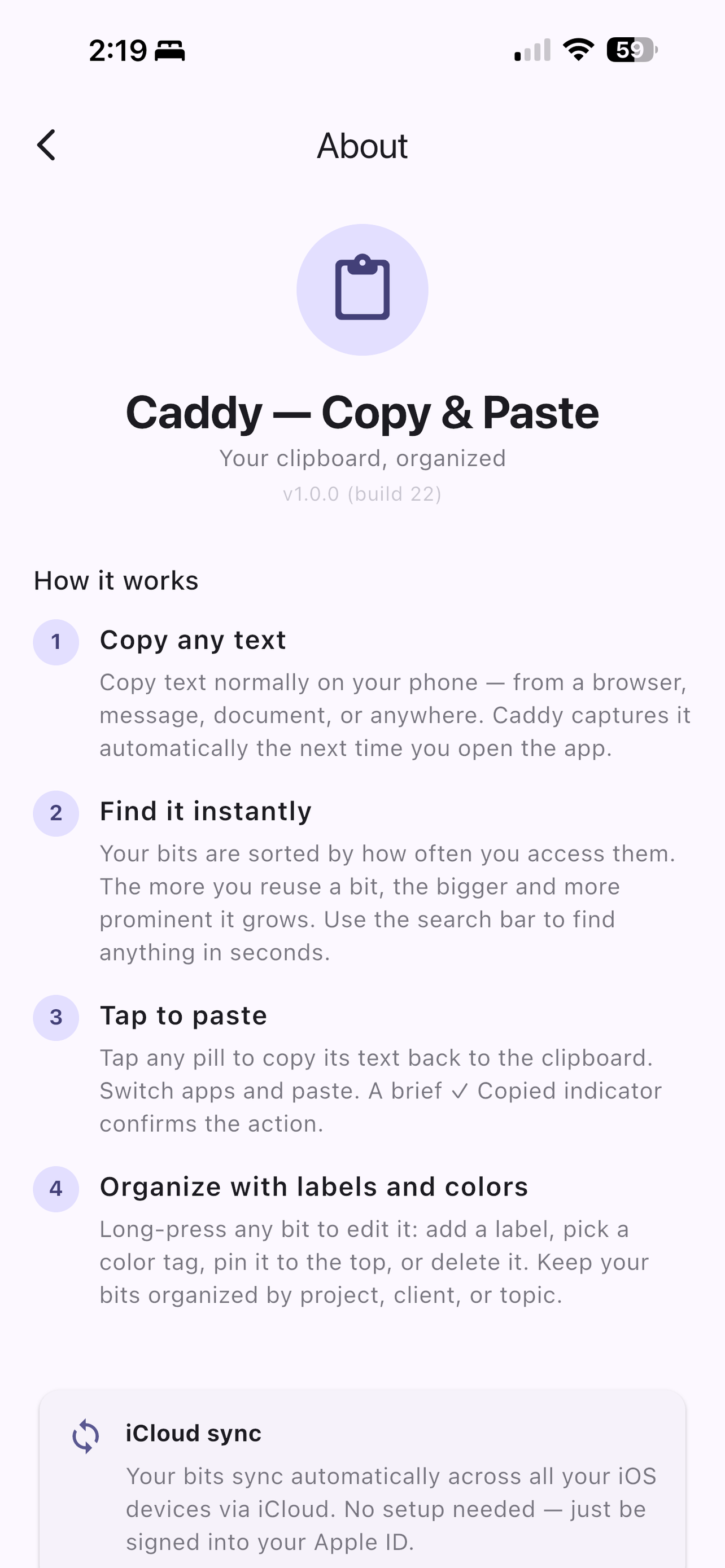
Everything you need in a snippet library
Caddy keeps your most-used text organized and instantly accessible — always ready, always private.
Build your text library
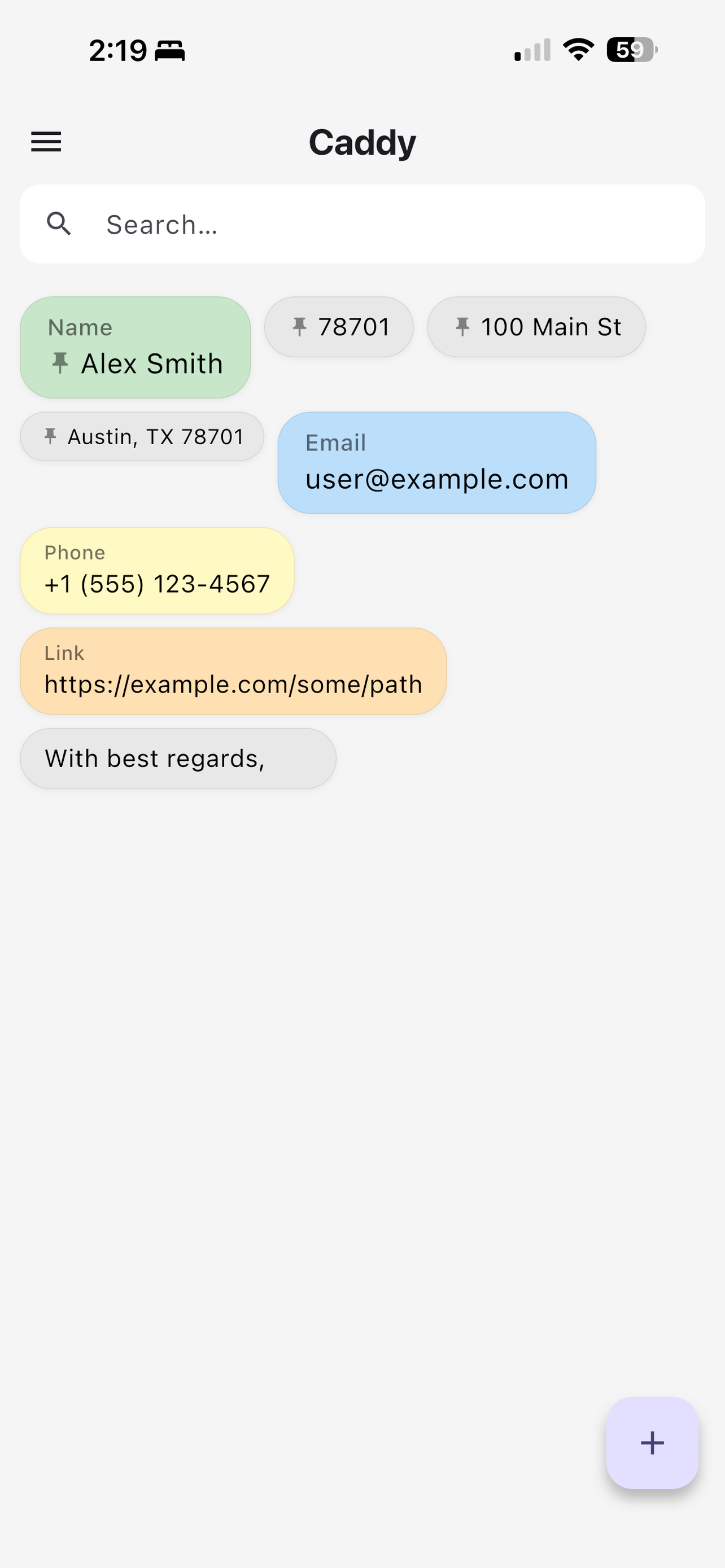
Add the text you reuse most — your name, email, phone, addresses, common replies, IDs, and more. Caddy keeps your whole library organized and instantly accessible.
Templates that fill in the blanks
Turn any item into a template with fill-in variables — {name} prompts for free text, {plan:Monthly;Annual} offers quick-tap suggestion chips. Fill in the blanks once, copy the finished text.
Sorted by how you use it
Items are ranked by access frequency — the more you use a snippet, the bigger its pill grows. Pin anything to the very top for permanent instant access.
Search in an instant
A persistent search bar lets you filter your entire collection by text content or label in real time. Find any snippet in seconds.
Label and color-code anything
Long-press any item to pick a color tag, add a short label, toggle pin, or delete. Keep snippets organized by project, client, or topic.
Import and export in a tap
Bring in snippets from a text file or your clipboard — Caddy detects the format automatically and skips duplicates. Export your whole library anytime to back it up or move it to a new device.
Works entirely offline
Everything is stored locally on your device. No internet required. When you're back online, snippets sync via iCloud on iOS or Google Drive on Android.
Clean, purposeful design
Items appear as compact pills in a flowing layout. Long text uses middle ellipsis (start…end) so you always see both the beginning and end of a snippet.
How it works
Three steps to stop retyping the same thing.
Add your snippets
Add the text you use most — name, email, phone, addresses, common replies, IDs. Build your personal library.
Organize with ease
Color-code and label snippets so similar items are easy to tell apart. Pin the ones you reach for most.
Find and paste
Search, scroll, or tap a pinned item — then paste it wherever you need it in seconds.
Built for people who run things from their phone
Whether you manage rental properties, run a service business, or coordinate events for a living, your phone is your office. You send the same instructions, the same confirmations, the same follow-ups — dozens of times a week. Caddy makes that effortless.
Short-Term Rental HostsOne host. Three properties. Zero repeated typing.
3 properties, 3 check-in templates. Color-coded. One tap each. Guests get the right instructions every time.
One host. Three properties. Zero repeated typing.
3 properties, 3 check-in templates. Color-coded. One tap each. Guests get the right instructions every time.
Turo & Car Rental HostsFour cars, one tap to send the right instructions every time.
Different car, different instructions. Caddy keeps them all organized and one tap away — no more hunting through old messages.
Four cars, one tap to send the right instructions every time.
Different car, different instructions. Caddy keeps them all organized and one tap away — no more hunting through old messages.
Home Service ProfessionalsCleaners, plumbers, electricians: stop rewriting the same job messages.
Confirmation, arrival, follow-up. Your whole client message workflow, templated and organized by type and color.
Cleaners, plumbers, electricians: stop rewriting the same job messages.
Confirmation, arrival, follow-up. Your whole client message workflow, templated and organized by type and color.
Event Organizers & Party Planners12 bookings this weekend. Every family gets the right message.
12 bookings this weekend. Every family gets the right message — performer, venue, package — without retyping a word.
12 bookings this weekend. Every family gets the right message.
12 bookings this weekend. Every family gets the right message — performer, venue, package — without retyping a word.
Real Estate & Property Managers20 active listings. Every client message, ready in one tap.
20 listings, 20 different sets of instructions. One library. Every client message ready in seconds.
20 active listings. Every client message, ready in one tap.
20 listings, 20 different sets of instructions. One library. Every client message ready in seconds.
Simple, fair pricing
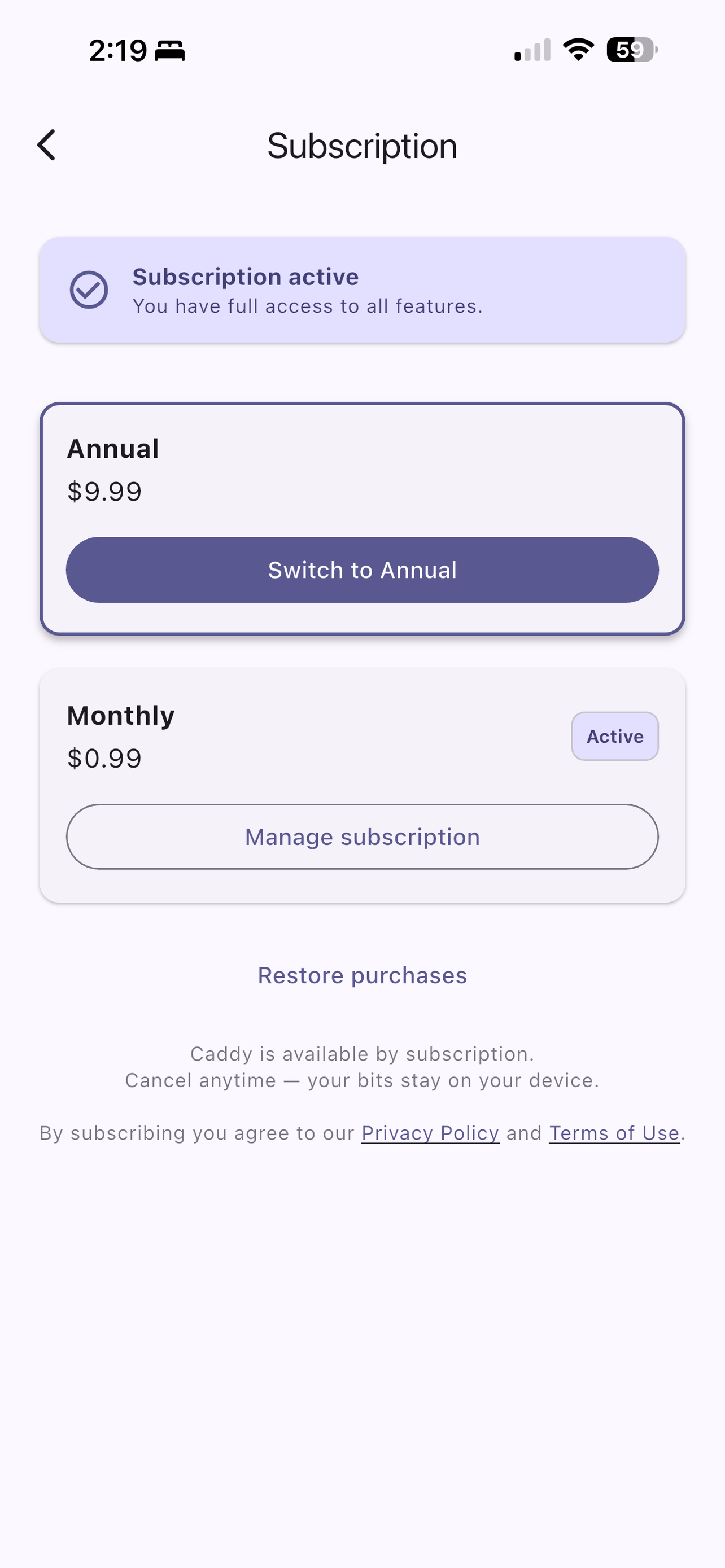
Start with a 3-day free trial — no charge until it ends. Cancel any time.
Monthly
$0.99
per month
Flexible — cancel any time.
Annual
$9.99
per year
Save ~16% vs monthly.
Payment charged to your App Store or Google Play account. Subscriptions renew automatically unless canceled at least 24 hours before the end of the current period.
How Caddy compares
- —TextExpander costs $39.99/year and requires memorizing abbreviation codes for every snippet.
- —Paste is a Mac app at $35.99/year with limited mobile functionality.
- —iOS Text Replacement is free but breaks down past a handful of snippets — no search, no labels, no Android.
- ✓Caddy is designed for mobile from the ground up. Save it once, tap to copy. No codes. No Mac required. $9.99/year.
Your snippets are private
Caddy was built around a simple principle: your data belongs to you.
No data collection
We collect no personal data. Your text snippets are your business — not ours.
Your cloud, your data
Sync uses your own iCloud (iOS) or Google Drive (Android) account. Your snippets never pass through our servers.
Fully on-device
All snippets are stored locally. Nothing is transmitted to Elmeris servers.
No tracking
No analytics, no telemetry, no advertising SDKs. Caddy does one thing: manage your text snippets.
Compatibility
iOS
iPhone running iOS 16 or later
Sync via iCloud
Android
Phone running Android 8.0 or later
Sync via Google Drive
Stop retyping. Start copying.
Download Caddy and keep your most-used texts organized and one tap away.